 Salatia
Prayer times that protect the prayer, not just announce it.
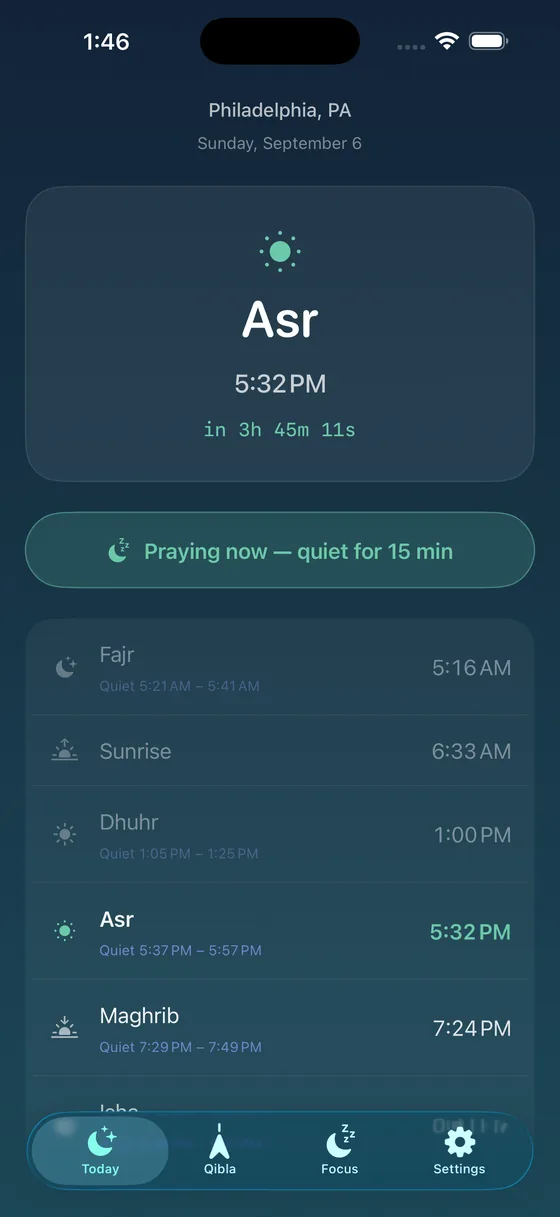
Salatia counts down to the next salah, then gives you a quiet window around it, so your phone stops competing for your attention while you pray.
Free for iPhone and Android. Premium removes ads.
Everything you need around each prayer
No account and no sign-in. Prayer times are worked out on your phone, so they keep working in airplane mode or abroad with your data switched off.
Accurate times for your city
Nine calculation methods, Hanafi or Shafi‘i Asr, and high-latitude rules for northern cities.
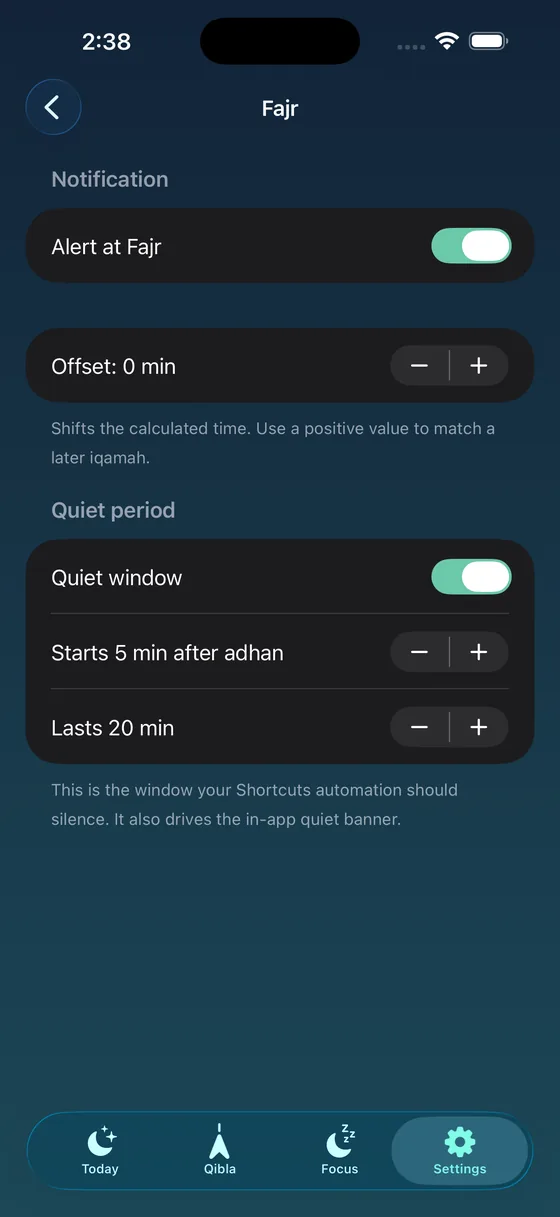
A quiet window for every prayer
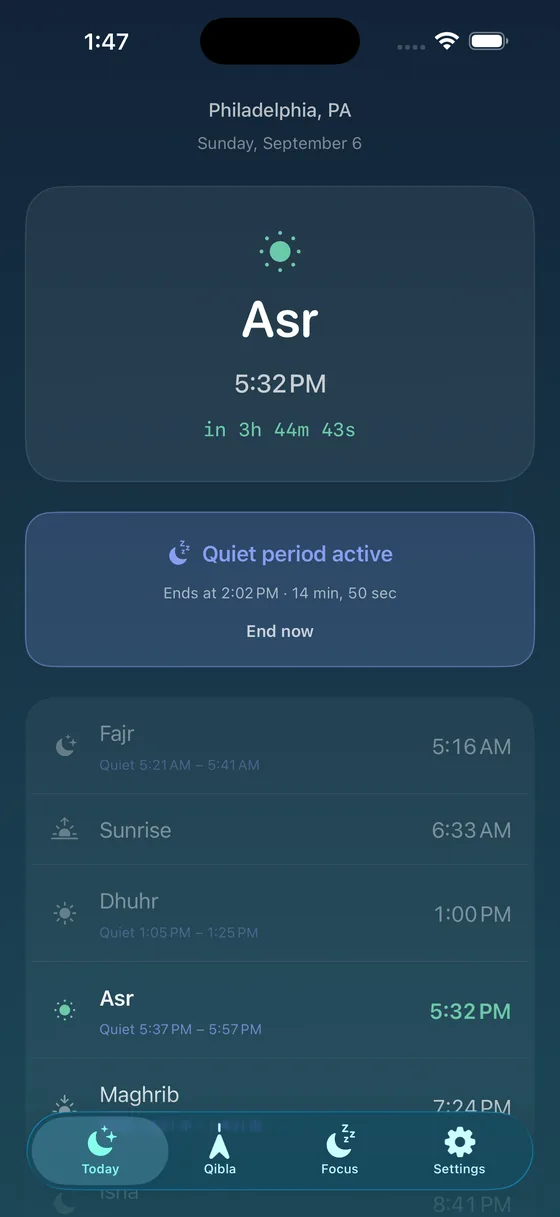
You choose when it starts and how long it lasts. One tap on “Praying now” goes quiet for fifteen minutes.
Qibla compass
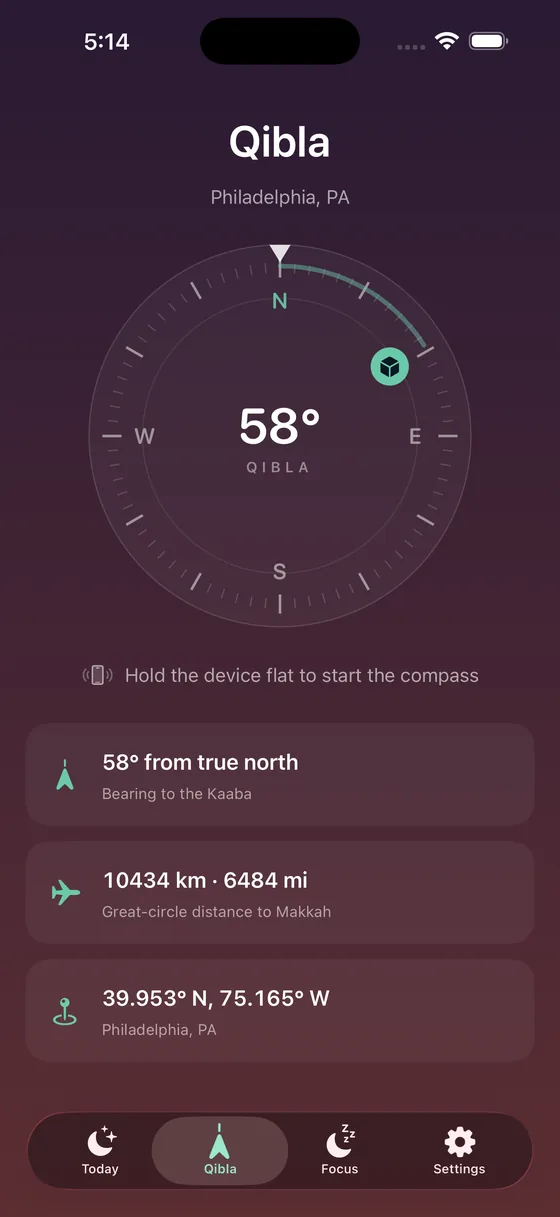
Bearing and distance to the Kaaba, on a dial corrected to true north.
The Quran
Arabic text with translations in thirteen languages, tafsir and recitation.
Adhan and reminders
Per-prayer notifications with the adhan, and a gentle notice when the quiet period ends. On Android you can choose your own adhan sound.
Lock Screen and widgets
On iPhone, a live countdown on the Lock Screen and in the Dynamic Island, plus Home and Lock Screen widgets.
Your phone goes quiet while you pray
Most prayer apps announce the time and then keep buzzing straight through the prayer. Salatia gives each prayer a quiet window, timed to your masjid.
- Android: grant one permission and Do Not Disturb switches on for each prayer and back off afterwards. Alarms still ring.
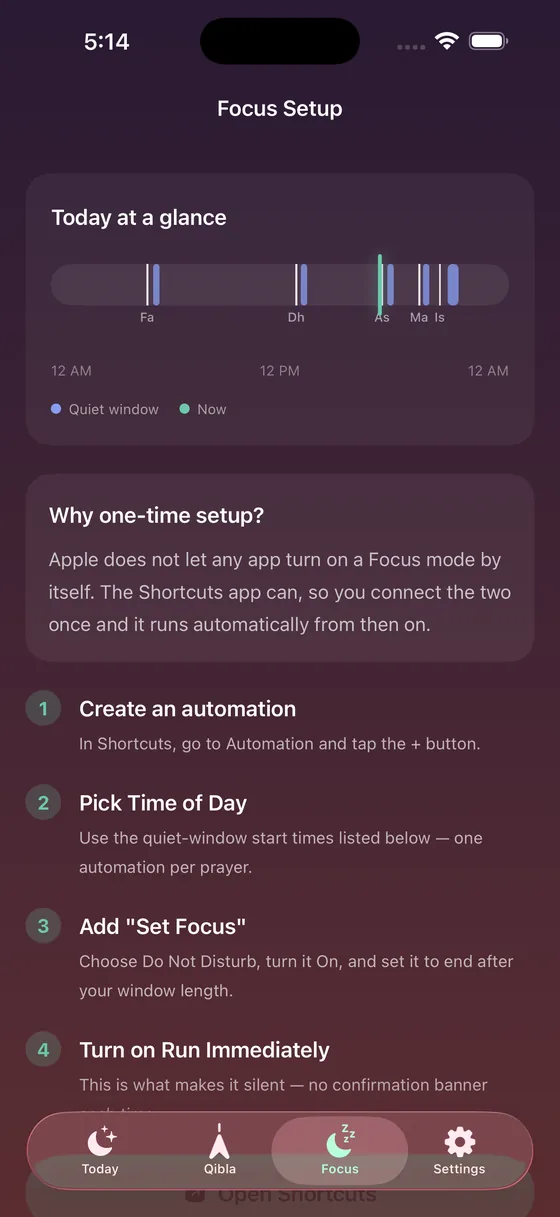
- iPhone: Apple does not let any app switch on a Focus mode by itself, so the app walks you through a two-minute Shortcuts setup once. After that it runs on its own.
Different phones behave differently. The app tells you plainly when a quiet window could not be applied.
Times that match the ones you pray by
Authorities use different sun angles, so a few minutes of difference is normal. Pick your masjid's method, then fine-tune any prayer.
- ISNA, Muslim World League, Karachi, Umm al-Qura, Egyptian, Moonsighting Committee, Dubai, Singapore and Diyanet
- Per-prayer offsets in minutes, to match your masjid's iqamah
- High-latitude rules where Fajr and Isha drift in summer
Find the Qibla anywhere
The compass shows the bearing to the Kaaba and how far away it is, corrected to true north. Hold your phone flat and away from magnets for the best reading.
Read, listen and understand
The Quran in Arabic, with translations, tafsir and recitation, from a reviewed list of sources.
Translations
Thirteen languages, including English, Urdu, Indonesian, Turkish, French, Bengali and Malay, plus English transliteration.
Tafsir
Commentary alongside each ayah, including Ibn Kathir (abridged) in English and Bayan ul Quran in Urdu.
Recitation
Listen ayah by ayah with the verse highlighted, repeat an ayah, or play the whole surah.
Quran data provided by Quran Foundation. The Quran tab needs an internet connection.
Private by design
No account, and calculated on your phone. Your settings and prayer times stay on your device. We keep no data about you on any server.
A few things do use the internet, and we say so plainly: your city's name is looked up with Apple or Google, the Quran tab fetches text and audio from the Quran Foundation, and the free version shows ads from Google AdMob. On iPhone, ads are personalised only if you allow it.
Common questions
Is Salatia free?
Yes. Every feature is free and supported by ads. In the free version, adhan alerts are scheduled a week at a time and opening the app renews them. Premium removes the ads and renews the alerts on its own.
My prayer times are a few minutes off. Why?
Authorities use different sun angles. Choose the method your masjid follows in Settings, then set a per-prayer offset if needed. Where the app and your masjid differ, follow your masjid.
Does it work without internet?
Prayer times, the Qibla and quiet windows work with no connection. The city name, the Quran tab and ads need the internet.
Can the app silence my iPhone automatically?
Apple does not allow any app to switch on a Focus mode by itself. The app guides you through a one-time Shortcuts setup, after which the quiet windows run on their own. On Android the app can switch Do Not Disturb on for you.
Pray without the phone pulling at you
Free on iPhone and Android.